
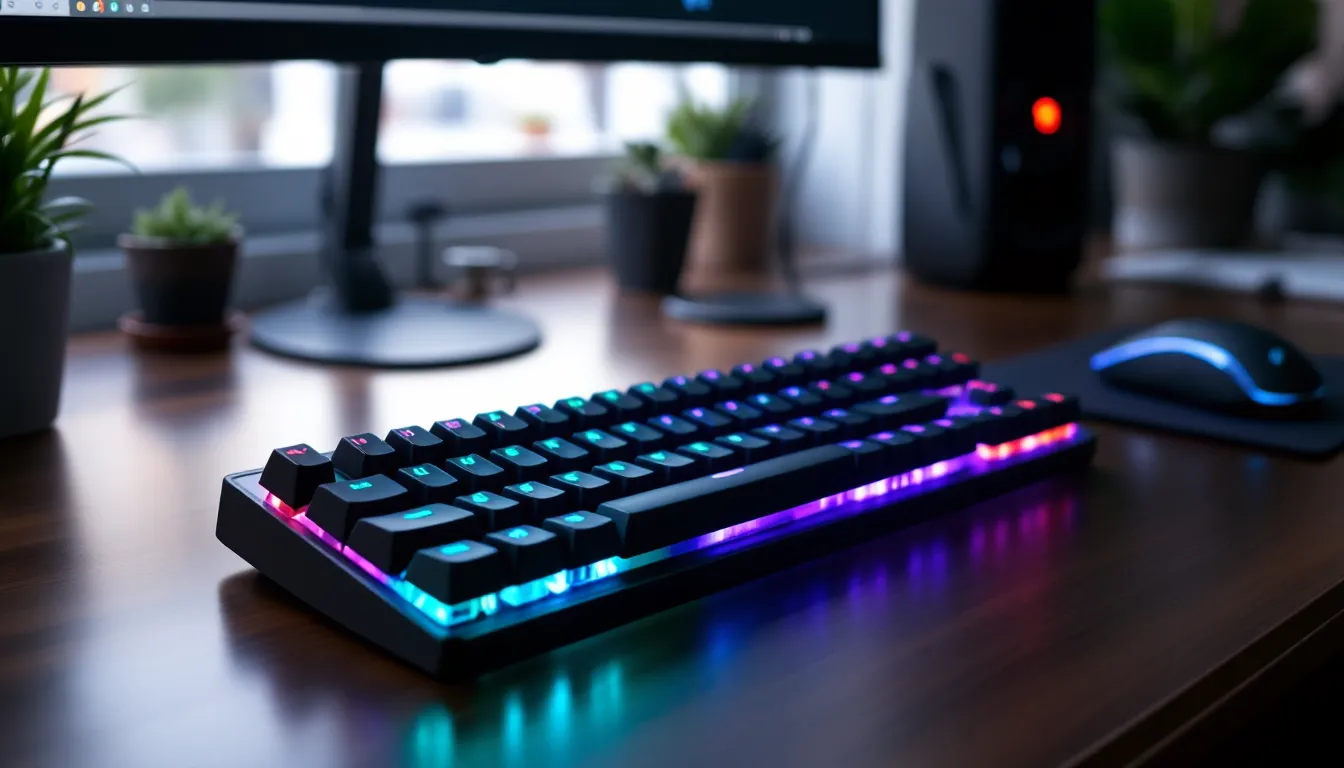

Finding the right gaming keyboard shouldn’t drain your wallet. In 2026, the sub-$100 market is packed with solid options that rival keyboards costing twice as much, if you know what to look for. Whether you’re grinding competitive shooters, diving into RPGs, or just want something better than your stock membrane board, there’s a gaming keyboard under $100 that fits your needs and playstyle. The key is understanding what separates the hype from the hardware that actually delivers in-game performance and longevity.
Key Takeaways
- The best gaming keyboard under $100 delivers competitive-level performance through mechanical switches with fast actuation (1-2mm), NKRO support, and solid build quality without charging a premium price.
- Mechanical switches are ideal for competitive gaming due to faster response times, while membrane switches work well for casual play and are quieter, making your choice dependent on gaming style and preferences.
- Budget gaming keyboards from established brands like Corsair, SteelSeries, Logitech, and ASUS rival pricier models because the performance gap is minimal—the extra cost typically covers cosmetics, wireless capability, or brand prestige rather than speed.
- Wired keyboards eliminate latency concerns for competitive play, but modern 2.4GHz wireless keyboards now offer imperceptible lag, making them viable if you prioritize desk aesthetics and are willing to charge weekly.
- RGB lighting is purely aesthetic and doesn’t improve performance; focus on per-key RGB only if you’re a streamer or content creator, as casual gamers rarely notice the difference between lighting options.
- Avoid cheap unknown brands and extremely low-priced mechanical keyboards (under $40), and always buy from reputable retailers like Amazon or Best Buy with strong return policies to ensure quality and buyer protection.
What Makes A Gaming Keyboard Worth Your Money
Key Features To Look For
A gaming keyboard needs to do three things: respond fast, feel good under your fingers, and last through thousands of hours of play. The most critical spec is actuation point, how quickly the keyboard registers your keystroke. Mechanical switches typically actuate at 1-2mm of travel, while membrane switches need 3-4mm. For competitive games, that difference translates directly to reaction time.
N-key rollover (NKRO) is another must-have. It means every key press registers simultaneously, even if you’re mashing multiple keys at once. Cheaper keyboards sometimes cut corners here with 6-key or anti-ghosting instead. Full NKRO is the standard for gaming now.
Switch type affects everything: mechanical switches are louder and faster but require more upkeep, while membrane switches are quieter and cheaper but feel mushy. Neither is objectively “better”, it depends on your game and preference. RGB lighting matters less for performance, but it’s nice to have for aesthetics without paying premium prices.
Build quality tells you how long your keyboard will last. Keyboards under $100 often use plastic frames instead of aluminum, but quality plastic paired with reinforced internals can match more expensive boards’ durability. Check for double-shot keycaps (letters won’t fade) and sturdy stabilizers (spacebar won’t rattle).
Why Budget Keyboards Can Compete With Premium Options
The gaming peripheral market has democratized. Five years ago, spending $150+ was the cost of entry for a decent mechanical keyboard. Today, manufacturers like Corsair, SteelSeries, and Razer produce legitimate sub-$100 options that don’t compromise on the fundamentals.
The gap between a $100 keyboard and a $200 one isn’t usually speed or response time, it’s cosmetics, wireless convenience, and niche features like integrated macro panels. A $90 mechanical keyboard has the same 1ms polling rate and actuation speed as a $180 one. The extra $90 might buy you premium switches, a steel frame, or wireless capability, but for pure gaming performance, you’re hitting diminishing returns fast.
Budget keyboards also benefit from competition and scale. A manufacturer producing 50,000 units of a popular model can negotiate better prices on components and pass savings to buyers. Meanwhile, ultra-premium boutique keyboards charge for brand prestige as much as engineering.
Top Gaming Keyboards Under $100
Best Mechanical Keyboard For Competitive Gaming
For players serious about shooters and fast-paced games, the Corsair K60 RGB Pro ($80-95) is the top pick. It uses Cherry MX switches with a 1.2mm actuation point, some of the fastest switches on the market. The aluminum frame feels solid, and the keyboard’s polling rate of 8,000Hz means input lag is virtually nonexistent. Competitive players running Valorant, CS2, or Apex Legends will appreciate the tactile feedback and consistent response.
Alternatively, the SteelSeries Apex Pro Mini ($100 flat) offers adjustable actuation switches, dial it down to 0.4mm for extreme responsiveness or dial it up to 3.6mm for everyday typing. That flexibility is hard to find at this price point. It’s also compact (60% layout), so it fits small desks or tournament bags.
Both keyboards are available on PC and PlayStation (wired only on console). Neither supports wireless, but that’s a trade-off for this price range, wireless adds latency on budget models, so wired is smarter for competitive play.
Best Membrane Keyboard For Value And Comfort
If you prefer quieter typing and don’t need the fastest actuation, the Logitech G413 SE ($60-75) is an excellent value play. It uses membrane switches with a quieter profile, perfect for late-night gaming sessions or shared living spaces. The ergonomic wrist rest reduces strain, and it’s one of the most durable sub-$100 keyboards overall, many players report five-plus years of daily use.
The build feels substantial even though the membrane switches. Logitech’s stabilizers don’t rattle, and double-shot keycaps keep legends sharp. It’s available on PC, Mac, and console (PlayStation via adapter). No RGB, but that keeps the price down and eliminates distractions.
Best Wireless Gaming Keyboard
Wireless and sub-$100 is a tight squeeze, but the Corsair K63 Wireless ($90-99) pulls it off without gutting performance. It uses Cherry MX switches, maintains a 1ms polling rate via its 2.4GHz dongle, and has zero perceptible lag in competitive gaming. The battery lasts about 30 hours per charge, which is solid for everyday play.
The main trade-off: no RGB lighting, and the wireless range is about 10 meters. For players who want a clean desk setup without cable clutter, it’s the best option under $100. Wired and wireless versions are available, and both work on PC and PlayStation.
Best RGB Gaming Keyboard For Aesthetics
For gamers who want flashy lighting without overpaying, the ASUS ROG Strix Scope RX ($85-95) delivers with per-key RGB, programmable lighting effects, and Cherry MX switches. The aluminum frame with plastic accents looks premium, and the stabilizers are smooth. Lighting customization is done through ASUS’s ROG software, which is feature-rich but requires a few minutes to set up.
If you prefer a wireless option with RGB, the Razer DeathStalker V2 Pro ($99) is worth stretching toward. It uses Razer’s low-profile switches (faster than most standard switches), has per-key RGB, and supports wireless via 2.4GHz dongle or Bluetooth. The low-profile switches feel snappy and look sleek. Battery life is strong at 40+ hours.
Gaming Keyboard Switches Explained
Mechanical Switches: The Competitive Edge
Mechanical switches are the standard for competitive gaming because of speed. Each keystroke uses a physical spring and stem mechanism that actuates within 1-2mm of travel. That quick registration is why esports players prefer them, every millisecond counts in a 1v1 duel.
There are three main types: linear switches (smooth, no tactile feedback, used in gaming), tactile switches (you feel a bump halfway through the press), and clicky switches (audible click plus tactile bump, loud and fun but not ideal for gaming). For gaming, linear switches dominate because they have the fastest actuation and least resistance.
Popular gaming switches include Cherry MX Red (smooth, 2mm actuation), Corsair MP40 (fast, proprietary), and Razer Yellow (1.2mm actuation, super snappy). All are available in gaming keyboards under $100. The difference between them is minimal, 1-2ms at most, so the “best” switch depends on how the keyboard feels to you personally.
Membrane Switches: The Budget-Friendly Option
Membrane switches use a rubber dome and circuit board instead of mechanical springs. They’re quieter, cheaper to manufacture, and require less maintenance. The trade-off is actuation point (3-4mm travel) and feedback, they feel mushy compared to mechanical switches.
For casual gaming, membrane keyboards are fine. They register inputs fast enough for single-player games, MOBAs, and turn-based games. Where they lag is rapid-fire button mashing, in a fighting game or rhythm game, the extra travel distance means fewer actions per second.
Membrane boards also wear out faster. The rubber dome degrades over 2-3 years of heavy use, while mechanical switches last 50+ million keypresses. But if you’re upgrading keyboards every couple years anyway, the lower cost makes sense.
Determining The Right Switch Type For Your Gaming Style
Competitive multiplayer (Valorant, CS2, Fortnite): Go mechanical. Actuation speed and consistency matter here. Linear switches are standard.
Single-player games (RPGs, story games, open-world): Mechanical or membrane works equally well. Pick based on comfort and noise preference.
Fighting games or rhythm games: Mechanical switches help with consistent response, especially if you’re mashing multiple buttons. High-speed mechanical switches give an edge.
MMOs or strategy games: Membrane is fine since you’re not timing inputs to the millisecond. Mechanical is nice but not essential.
If you’re unsure, mechanical switches are the safer choice. They feel better to most players and maintain consistent performance longer. Under $100, you’ll find plenty of mechanical options that don’t skimp on quality.
Wired Vs. Wireless: Which Is Better For Gaming
The old rule was simple: wired for competitive gaming, wireless for convenience. In 2026, that’s no longer hard-and-fast.
Wired keyboards have zero latency concerns and don’t need charging. If you’re playing at a competitive level, esports teams, ranked grinding, or tournaments, a wired mechanical keyboard eliminates one variable. There’s no battery drain, no potential for interference, no connection drops. Even a sub-millisecond delay adds up over thousands of matches.
Wireless technology has improved dramatically. A gaming keyboard using a 2.4GHz USB dongle will have 1ms polling rate and imperceptible lag. Bluetooth wireless is slower (8ms latency) and not recommended for gaming. The catch with wireless boards under $100 is they often strip features to hit the price. The Corsair K63 Wireless mentioned earlier drops RGB to stay under budget.
Battery life matters too. Most gaming wireless keyboards last 20-50 hours per charge. That’s several weeks of casual play, but competitive players who practice 8+ hours daily might drain it weekly.
The practical answer: If you’re serious about competitive gaming, buy wired. If you value desk aesthetics and are willing to charge weekly, wireless under $100 is viable. Many players own both, wired for tournaments, wireless for casual play.
Console gamers should note that PlayStation and Xbox controllers work wireless natively, but keyboards often require adapters or wired connections. Check compatibility before buying.
RGB Lighting And Customization Options
RGB lighting is purely aesthetic, it doesn’t improve gaming performance. But it’s nice to have without paying a $50 premium.
Under $100, you’ll find three levels of RGB: per-key RGB (each key lights independently, highest customization), zone RGB (keyboard divided into 3-5 zones), and single-color RGB (usually red or blue, limited flexibility). Per-key RGB boards like the ASUS ROG Strix Scope let you create custom lighting profiles synced to your game or stream setup. Zone RGB is simpler but still gives enough flexibility for most players. Single-color is the budget option, looks clean but no customization.
RGB software varies in quality. Some keyboards use basic proprietary software, while others integrate with broader ecosystems. For example, Corsair’s iCUE software lets you sync RGB across keyboard, mouse, and headset. Razer’s Synapse does the same. These add-ons are nice but not necessary, focus on RGB quality, not software features, at this price point.
One practical note: RGB lighting drains battery faster on wireless keyboards. If you plan to go wireless, consider a single-color or zone RGB option to extend battery life between charges.
For streamers and content creators, per-key RGB keyboards make a visual difference on camera. Casual players rarely notice the difference between per-key and zone lighting, so don’t overpay for it.
Budget Shopping Tips And What To Avoid
When hunting for the best gaming keyboard under $100, a few smart moves save you money and hassle.
Check sales timing. Gaming peripherals go on sale during Black Friday, Prime Day, and seasonal sales. Keyboards with good reviews regularly drop 15-20% off in-sale. Set a price alert on Amazon or Best Buy and wait for dips. A $100 keyboard often sells for $75-80 during sales.
Avoid no-name brands. Brands like Corsair, Razer, SteelSeries, Logitech, and ASUS have reputation at stake. They won’t sell a sub-$100 lemon because it tanks their brand. Unknown AliExpress brands might seem cheaper but often fail within months. Stick to established gaming brands.
Check keyboard layout carefully. Full-size keyboards (104 keys) are standard. Tenkeyless (87 keys) saves desk space. 60% keyboards are compact but lack arrow keys. Know what you’re getting, some ultra-budget boards cut corners by using non-standard layouts that make replacement keycaps hard to find. Recent pro player reviews on ProSettings highlight how layout affects competitive setup comfort, worth consulting before purchasing.
Read switch reviews specific to the model. Not all Cherry MX Red switches are identical, some stabilizers are better than others. Look at detailed user reviews (Reddit’s r/MechanicalKeyboards is gold) to see if a specific model has known issues like rattling spacebar or inconsistent switches.
Avoid these red flags:
- Keyboards claiming “gaming” specs but no NKRO (full key rollover) mentioned. If they don’t list it, they probably don’t have it.
- Extremely low prices ($30-40) for mechanical keyboards. Real mechanical switches cost manufacturers $3-5 each. If a board costs $40, corners were cut somewhere.
- No brand name at all, or misspelled brand names on packaging.
- Return policies under 14 days. Gaming peripherals need a week of testing to evaluate. A good brand offers 30-day returns.
Where to buy: Stick to Amazon, Best Buy, Newegg, or brand official stores. All offer solid return policies and customer service. Third-party sellers sometimes ship counterfeit gear, so buy from retailers with buyer protection.
Recent tech reviews from PCMag break down keyboard durability and real-world value, useful for cross-referencing build quality claims. Also, streaming setup guides on How-To Geek often compare keyboards for different gaming scenarios, helping narrow choices by use case.
Conclusion
The best gaming keyboard under $100 exists, you just need to match it to your playstyle and priorities. If competitive speed matters most, grab a mechanical keyboard with fast switches like the Corsair K60 RGB Pro. If comfort and quiet matter, the Logitech G413 SE won’t let you down. Want wireless without lag? The Corsair K63 Wireless delivers. Craving RGB? The ASUS ROG Strix Scope RX has per-key customization at the right price.
The key takeaway: gaming keyboard performance isn’t locked behind a $200 paywall anymore. Mechanical switches, NKRO, and solid build quality are standard even at $80-100. Focus on what actually affects your gameplay, actuation point, switch type, and durability, and ignore marketing hype around premium price tags. Test one of the boards mentioned above, and you’ll feel the difference immediately compared to a stock keyboard.
Your sub-$100 gaming keyboard investment will pay off in comfort, consistency, and responsiveness across hundreds of hours of play.