
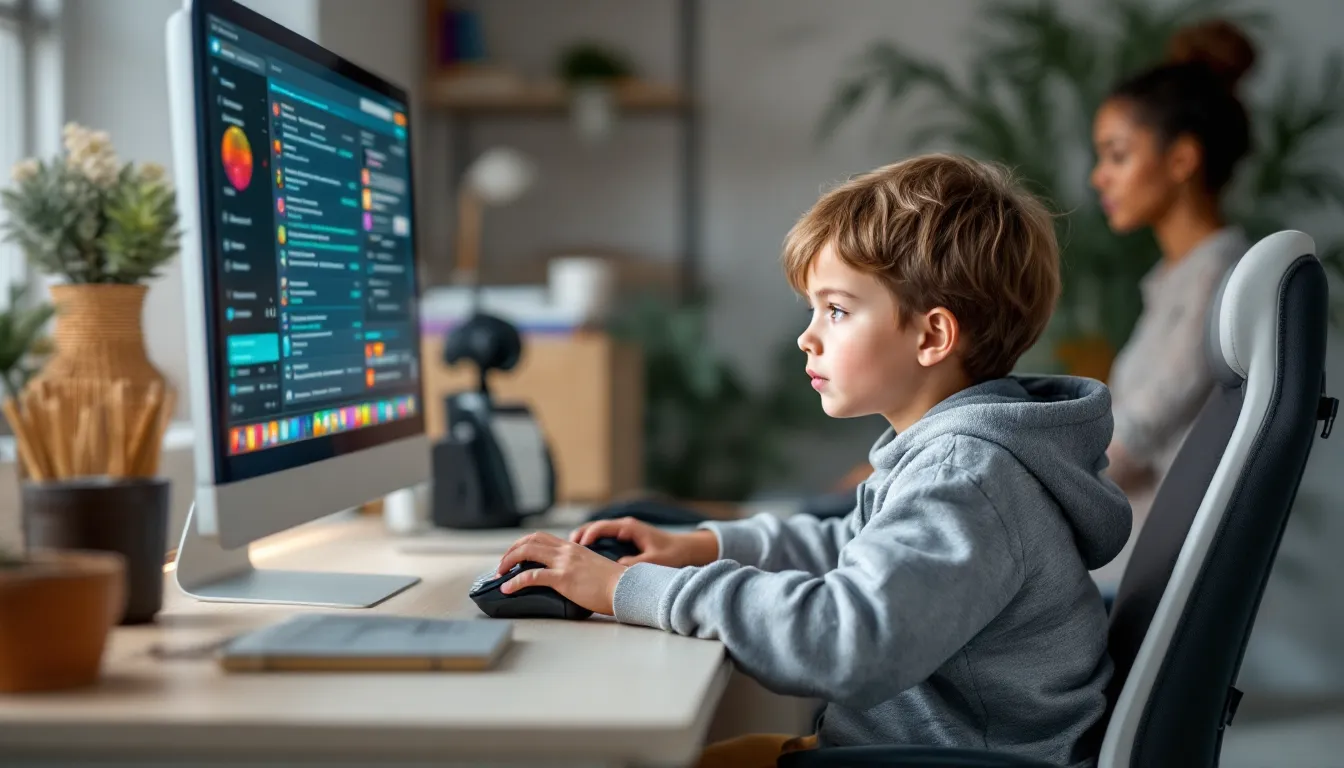

Gaming isn’t what it was a decade ago. Today’s kids are growing up in a world where video games are as much a social and educational tool as they are entertainment. Whether it’s a 7-year-old learning problem-solving through puzzle games or a teenager collaborating with friends in team-based multiplayer environments, gaming has become woven into childhood development. But with that shift comes legitimate questions: How much screen time is healthy? Which games are actually worth their time? How do parents ensure their kids stay safe online?
This guide cuts through the noise and gives parents practical, specific answers. We’re not here to debate whether gaming is “good” or “bad”, that ship sailed years ago. Instead, we’ll focus on what actually matters: choosing the right games, setting sensible limits, leveraging gaming for learning, and keeping kids safe in multiplayer spaces. By the end, you’ll have a framework for supporting your kid’s gaming interests while maintaining healthy habits.
Key Takeaways
- A gaming kid benefits from real cognitive and social skill development—including problem-solving, strategic thinking, teamwork, and communication—when playing age-appropriate, quality games rather than mindless mobile content.
- Use platform-specific parental controls (console, mobile, or PC) combined with firm screen time limits, device-free zones, and offline activities to create balanced gaming habits that don’t interfere with sleep, school, exercise, or social development.
- Understand ESRB and PEGI game ratings along with content descriptors, and research specific titles tailored to your child’s age and maturity level—ratings are starting points, not absolute rules.
- Set up multi-layered online safety measures including privacy settings on Discord and Steam, teaching kids to never share personal information, recognize predatory behavior, and report cyberbullying through in-game tools.
- Leverage gaming intentionally for learning by selecting educational or story-driven games that align with school subjects, improving engagement with struggling subjects like reading or math.
- For kids interested in competitive gaming and esports, balance the passion with mental health awareness, set realistic play-hour limits (4–5 hours daily maximum), and ensure other activities and social connections continue.
Why Gaming Has Become A Core Part Of Childhood Development
Gaming isn’t a fringe hobby anymore, it’s mainstream. In 2026, roughly 70% of children ages 6-17 play video games regularly, and that number keeps climbing. The shift happened gradually, but the evidence is now overwhelming: gaming develops real cognitive and social skills that transfer to school, friendships, and future careers.
Part of this is generational. Parents who grew up with games themselves are more likely to see them as legitimate tools for learning and connection. But another part is that game design has simply gotten smarter. Modern games aren’t just about reflexes anymore: they’re about resource management, team coordination, long-term planning, and emotional storytelling.
The gaming industry has also professionalized around youth accessibility. Parental controls are now standard on every major platform. Age ratings are more transparent. Educational gaming is backed by actual research. And esports has created pathways where gaming skill can lead to scholarships and professional opportunities.
That said, not all gaming is created equal. A kid spending 6 hours a day on a mindless mobile clicker game is having a very different experience than one playing a strategic cooperative adventure with friends. Context matters enormously. Parents need to understand what their kids are actually playing, why they’re playing it, and how much time they’re spending. The goal isn’t to eliminate gaming, it’s to optimize it.
Cognitive And Social Benefits Of Gaming For Children
The research here is solid. Multiple studies from universities like Rochester and Stanford show that gaming develops specific cognitive abilities that parents care about: spatial reasoning, memory, attention span, and creative problem-solving. But the benefits go deeper than test scores.
Problem-Solving And Strategic Thinking
Real-time strategy games, puzzle games, and even first-person shooters require kids to break complex problems into manageable steps, test hypotheses, and adapt when plans fail. A kid playing The Legend of Zelda: Tears of the Kingdom learns to approach obstacles from multiple angles, sometimes through combat, sometimes through environmental manipulation, sometimes through creative item combinations. That’s not a skill taught in a textbook: it’s practiced repeatedly in a safe, consequence-light environment.
Puzzle games like Portal 2 or Baba Is You explicitly teach logical thinking. Strategy games like Civilization VI or even simpler titles like Plants vs. Zombies force kids to think ahead, manage resources, and weigh trade-offs. A parent might see their kid staring at the screen seemingly doing nothing, but they’re actually running through mental simulations, testing approaches, and learning from failure, which is exactly how learning should work.
Competitive games add another layer: kids learn that losing is data, not failure. A player who gets defeated in League of Legends or Street Fighter has to analyze what went wrong and adjust their strategy. That’s resilience and growth mindset in action.
Teamwork And Communication Skills
Multiplayer games force real collaboration. In cooperative shooters like Deep Rock Galactic, each player has a distinct role, gunner, scout, driller, engineer, and success requires coordination. A kid has to call out enemy positions, manage resources with the team, and adjust tactics on the fly. That’s applied teamwork.
Competitive team games go further. In Valorant or Overwatch 2, a player’s individual skill matters, but team communication often matters more. Kids learn to give and receive feedback in real time, admit mistakes without making excuses, and support teammates who are struggling. These are soft skills that don’t show up on report cards but matter everywhere in life.
Even single-player games with social elements, like sharing strategies in Dark Souls or collaborating on speedrun techniques, build community and communication. Kids learn to articulate their thinking, help others, and be helped. That’s profoundly different from the isolated, passive consumption that older generations worried games would create.
Choosing Age-Appropriate Games For Your Child
This is where parents often feel lost. There are hundreds of thousands of games available across platforms, and navigating them without a framework is overwhelming.
Understanding Game Ratings And Content Descriptors
Every major game comes with a rating. In North America, that’s the ESRB (Entertainment Software Rating Board). In Europe, it’s the PEGI system. Both use age brackets combined with content descriptors.
ESRB ratings:
- EC (Early Childhood): Ages 3+. Educational, no violence.
- E (Everyone): Ages 6+. Mild violence or cartoon action.
- E10+: Ages 10+. More cartoon violence, some mild language.
- T (Teen): Ages 13+. Violence, blood, language, or suggestive content.
- M (Mature): Ages 17+. Significant violence, blood, gore, sexual content, or strong language.
- AO (Adults Only): Ages 18+. Extreme violence, sexual content, or other mature themes.
These aren’t laws, they’re guidelines. A mature 10-year-old and an immature 17-year-old will have totally different experiences with the same T-rated game. The rating is a starting point, not a verdict.
Content descriptors are the specifics. An E10+ game with “cartoon violence” is completely different from one with “blood.” Read those descriptors. They tell you exactly what to expect.
Top Recommended Games By Age Group
Ages 5-7:
- Mario Kart 8 Deluxe (Nintendo Switch): Racing without aggression. Local multiplayer is gold.
- Kirby’s Return to Dream Land Deluxe (Switch): Colorful, forgiving platforming.
- Minecraft (Creative Mode, all platforms): Pure construction and exploration.
- Stardew Valley (all platforms): Cozy farming. Teaches resource management gently.
Ages 8-11:
- The Legend of Zelda: Breath of the Wild or Tears of the Kingdom (Switch): Open-world puzzle-solving. Genuinely teaches creative problem-solving.
- Splatoon 3 (Switch): Team-based shooter with no violence (you’re painting, not killing). Excellent for learning cooperation.
- Spyro Reignited Trilogy (PlayStation, Xbox, PC): Colorful 3D platformer with exploration.
- Civilization VI (PC, Mac, Switch, mobile): Strategy game that teaches history and planning.
- Portal 2 (PC, PS3, Xbox 360): Puzzle game that builds logic systematically.
Ages 12-15:
- Minecraft Survival (all platforms): Still brilliant. Survival mode adds genuine stakes.
- The Legend of Zelda series (Switch): Games like Link’s Awakening or Ocarina of Time (through emulation or re-releases) offer complex puzzles.
- Fortnite or Rocket League (all platforms, free): Social multiplayer. High skill ceiling, good for competitively-minded kids.
- Elden Ring (PlayStation, Xbox, PC): Challenging action RPG. Teen+ maturity required: significant violence. But mechanically brilliant and popular with teens.
- Genshin Impact (PC, console, mobile, free): Colorful action RPG. Manage screen time and in-app purchases.
- Honkai: Star Rail (PC, mobile, free): Turn-based RPG. Less time-intensive than Genshin.
Ages 15+:
- The Last of Us Part II, God of War Ragnarök (PlayStation): Mature narratives. Violence and language present. Strong storytelling.
- Valorant, CS2 (PC, free): Competitive team shooters. Mature community: parental oversight recommended.
- Baldur’s Gate 3 (PC, PlayStation): Complex story-driven RPG. Sexual content and violence.
- Hades (all platforms): Stylish action game. Violence but cartoony. Excellent writing.
These recommendations assume decent supervision and discussion. A game rated T isn’t automatically inappropriate for a mature 13-year-old, just as an E10+ game isn’t boring for a 15-year-old. Know your kid.
Platform Selection: PC, Console, And Mobile Gaming For Kids
Different platforms have different strengths, weaknesses, and safety implications. The right choice depends on your kid’s age, interests, and your ability to monitor.
Console Gaming: Safety Features And Parental Controls
Consoles (PlayStation 5, Xbox Series X/S, Nintendo Switch) are generally the safest gaming environments for kids. They’re closed ecosystems, which means less malware risk than PC, and manufacturers have built robust parental controls.
PlayStation 5 parental controls:
- Create a child account linked to a parent account.
- Restrict content by age rating (block games, movies, streaming apps).
- Set playtime limits and scheduled downtime.
- Monitor spending and require approval for purchases.
- Review play history and trophies earned.
- Control online features and communication.
Xbox Series X/S parental controls:
- Similar features through the Family Settings app.
- Screen time scheduling by day and time.
- Content filtering by age.
- Purchase approval required.
- Activity reports show what games were played and for how long.
Nintendo Switch parental controls (Parental Controls app):
- Restrict game content by age rating.
- Set daily playtime limits.
- Schedule quiet hours.
- Monitor play history.
- Restrict online communication.
- Restrict add-on content purchases.
The advantage of consoles is simplicity. Everything runs through the manufacturer’s ecosystem, so it’s harder for kids to circumvent controls. The disadvantage is cost, $300-500 for the console, plus $60-70 for each game. Nintendo Switch is cheapest to enter: PlayStation 5 and Xbox have the biggest libraries.
Mobile Gaming: Managing Screen Time And In-App Purchases
Mobile gaming is ubiquitous and free (mostly), but it’s also the easiest place for kids to rack up spending and lose track of time.
iOS (iPhone/iPad):
- Use Screen Time (built-in) to set app limits, downtime schedules, and content restrictions.
- Require password approval for purchases and app downloads.
- Set a spending limit for the App Store.
- Use Communicate Limits to restrict contact with unknown users.
Android:
- Use Family Link (Google’s parental control app) for similar controls.
- Restrict app downloads, set screen time limits, and monitor activity.
- Disable Google Play purchases or require approval.
The in-app purchase trap:
Many free mobile games (especially gacha games like Genshin Impact, Honkai: Star Rail, Summoners War, or Candy Crush) are designed to nudge kids toward spending. A $5 purchase here, a $10 bundle there, it adds up fast. Some kids have accidentally racked up hundreds of dollars.
Best practices:
- Disable in-app purchases entirely for younger kids.
- For older kids, require your approval for any purchase over $5.
- Explain the difference between a fair game and a game designed to extract money.
- Set a monthly mobile gaming budget and stick to it.
Mobile gaming works best for casual, turn-based games (Alto’s Adventure, Threes, Mini Metro) or games designed with kids in mind (Pokémon Unite, Clash Royale, though both have competitive spending components). Avoid anything with aggressive monetization for younger kids.
PC Gaming For Young Gamers: Hardware And Software Considerations
PC gaming offers the biggest library and greatest customization, but it’s more complex and riskier if you’re not careful.
Hardware:
You don’t need a $3000 rig. Most games run fine on a mid-range laptop ($800-1200) or a pre-built desktop. If your kid is interested in competitive gaming or AAA titles, consider something like SkyTech Gaming PC in or Viper Tech Gaming PC: Ultimate Performance for Competitive Gamers to understand performance tiers. Avoid the ultra-budget stuff: it’ll be outdated in 12 months.
Software and safety:
PC is where things get tricky. There’s no central gatekeeper like Apple or Sony.
- Use Windows Parental Controls (built-in) to restrict app downloads, set screen time, and monitor activity.
- Install reputable antivirus software (Windows Defender is adequate: Kaspersky or Norton add extra protection).
- Only download games from legitimate storefronts: Steam, Epic Games Store, GOG, Battle.net. Pirated games are malware vectors.
- Be cautious with mods and third-party installers. They’re often trojan horses.
- Monitor what your kid is playing. PC gaming communities can be less moderated than console communities.
Screen setup:
If your kid’s gaming on PC, How-To Geek has solid guides on ergonomic setups to prevent strain. Proper monitor height, chair, and keyboard placement matter more than you’d think, especially for kids who might game for hours.
Setting Healthy Gaming Habits And Screen Time Limits
This is the hardest part for most parents. Gaming is engaging by design, it triggers dopamine, provides constant feedback, and is socially rewarding. Without structure, it’s easy to lose hours.
Creating A Balanced Gaming Schedule
The American Academy of Pediatrics recommends:
- Ages 5-6: Max 1 hour per day of quality content.
- Ages 6+: Consistent limits that ensure gaming doesn’t interfere with sleep, school, exercise, or offline social time.
Those are guidelines, not laws. A kid playing 2 hours on a Saturday is different from 2 hours every day after school. Context matters.
Practical strategies:
- Negotiate screen time windows. Instead of “no gaming after 8 PM,” make it “gaming stops at 8 PM every night.” Predictability reduces conflict.
- Tie gaming to responsibilities. Gaming is a privilege, not a right. Assignments done? Chores completed? Then gaming time is earned, not taken away.
- Use timers. Set a visible timer. When it goes off, gaming stops. This removes the “five more minutes” argument.
- Create device-free zones. No gaming in bedrooms, no phones during meals. Gaming stays in common areas where you can supervise.
- Plan offline activities. If gaming is the only fun activity available, it’ll monopolize free time. Soccer, art, building, reading, offer alternatives.
- Game together sometimes. Playing Mario Kart with your kid for 30 minutes isn’t wasted time: it’s bonding and gives you insight into what they enjoy.
One realistic note: kids will push boundaries. That’s development. Holding firm matters more than perfect compliance.
Physical Activity And Eye Health Tips
Kids who game for hours at a time develop real physical issues: eye strain, posture problems, wrist strain, and neglected fitness.
Eye health:
- Follow the 20-20-20 rule: Every 20 minutes, look at something 20 feet away for 20 seconds. This reduces eye strain significantly.
- Ensure the monitor is at arm’s length away and slightly below eye level.
- Use proper lighting. Glare on screens causes fatigue.
- If your kid wears glasses, make sure the prescription is current.
Posture:
- Chair should support the lower back and allow feet to rest flat on the floor.
- Elbows should be at 90 degrees when gaming.
- Monitor should be directly in front, not to the side.
- Keyboard and mouse should be at elbow height.
Physical activity:
- Kids need at least 60 minutes of moderate activity daily. Gaming doesn’t count.
- Use gaming as motivation: “30 minutes of gaming, then 20 minutes outside.”
- Active gaming (VR, motion controls) isn’t a replacement for real exercise but counts as movement.
- Combat “gaming posture”, the slouch that develops over months, with stretching and activity breaks.
These aren’t small details. A kid with 4 hours of daily gaming and no exercise will develop physical problems within months. The limits matter.
Online Safety And Protecting Kids In Multiplayer Environments
Once your kid plays online, they’re exposed to millions of strangers. Most are fine. Some aren’t. Your job is to build awareness and set guardrails.
Privacy Settings And Blocking Inappropriate Content
Every platform has built-in privacy tools. Learning them is non-negotiable.
Discord (where many gamers chat):
- Set your kid’s account to Private (friends-only messages).
- Disable direct messages from strangers.
- Use server-level moderation to control who can see profile info.
- Monitor which servers they’re joining: some are cesspools.
Steam (PC gaming):
- Set profile to private (hide games, activity, friends list).
- Review community interactions: disable comments if needed.
- Monitor friend requests. Only add known people.
Console networks:
- Keep profile settings private. Don’t broadcast activity.
- Use parental controls to restrict who can message or add as a friend.
- Review friends list regularly.
In-game:
- Many games (Fortnite, Valorant, Overwatch 2) have in-game reporting tools for harassment, hate speech, or inappropriate content. Make sure your kid knows how to use them.
- Mute all-chat or turn off voice chat if toxicity is an issue.
- Most games let you block specific players: use it liberally.
The broader picture:
- Predators exist in gaming spaces. They pose as kids, build relationships over weeks, and eventually ask for personal info or meet-ups. Talk to your kid about this directly and often.
- No adult should ask for private information (real name, address, school, social media).
- No adult should ask for photos, especially of any kind where kids are partially clothed or alone.
- If something feels wrong, it probably is.
Teaching Kids About Online Etiquette And Cyberbullying Prevention
The gaming community has a reputation for toxicity. Part of that is unfair generalizations: part is earned. Kids need resilience and awareness.
Online etiquette basics:
- What you type online is permanent. Screenshots exist forever.
- Trash talk has limits. Mocking someone’s gameplay is part of competition. Racist, sexist, or personal attacks are not.
- If you wouldn’t say it to someone’s face, don’t type it.
- Be good to new players. Everyone was a beginner.
Cyberbullying warning signs:
- Your kid stops gaming or mentions specific people they’re avoiding.
- Mood shifts after gaming (angry, upset, withdrawn).
- Decreased interest in games they used to love.
- Reluctance to talk about who they’re playing with.
If cyberbullying happens:
- Document it (screenshots, record usernames and timestamps).
- Report it to the game moderators and platform.
- Take a break from that specific game or server.
- Talk through it. Validate their feelings. Remind them it reflects the bully’s character, not theirs.
- Consider involving the school if the bullies are classmates.
Kids are also victims of scams in gaming spaces. Someone offers to sell in-game currency at a discount, or promises a free legendary weapon, then disappears with payment. Teach your kid: if it sounds too good to be true, it is. Never trade with strangers outside the official game systems.
The goal isn’t fear: it’s informed caution. Most kids navigate online gaming safely. But awareness and open communication are your best tools.
Leveraging Gaming For Learning And Skill Development
Gaming isn’t just entertainment. Used intentionally, it’s a powerful learning tool. Schools are catching on: kids aren’t.
Educational Games That Teach Math, Science, And Language Skills
Math:
- Civilization VI: Manage resources, understand trade-offs, calculate yields. Strategy games implicitly teach math.
- Slay the Spire: Deck-building game that requires probability and risk assessment.
- Portal 2: Spatial reasoning and geometry.
- DragonBox series: Explicitly designed to teach algebra and calculus. Actually fun.
- Cut the Rope: Physics-based puzzle solving.
Science:
- Kerbal Space Program: Build rockets and understand orbital mechanics. Genuinely teaches physics.
- Factorio: Logistics and automation. Teaches systems thinking.
- Minecraft Education Edition: Build structures, understand chemistry, explore history. Schools use this.
- Spore: Evolution and biology, though simplified.
Language:
- Undertale: Rich narrative that rewards curiosity and reading.
- Disco Elysium: Dialogue-heavy RPG. Text-based worldbuilding.
- Outer Wilds: Exploration and puzzle-solving through reading and observation.
- Spiritfarer: Character-driven narrative game about relationships.
- Gris: Wordless storytelling through visuals and color.
Critical thinking:
- The Stanley Parable: Meta-narrative that challenges player assumptions.
- Return of the Obra Dinn: Visual deduction puzzle. Teaches observation.
- Baba Is You: Programming logic disguised as a puzzle game.
The reality:
Educational games work best when they don’t feel like school. DragonBox teaches algebra without feeling like math class. Kerbal Space Program is genuinely fun and happens to teach orbital mechanics. The best educational games have hooks that make kids want to play, not games that feel like punishment dressed up as fun.
Parent tip: Research games that align with what your kid is learning in school. If they’re studying the Renaissance, Assassin’s Creed II (M-rated, so Teen+) is set in Italy during that period and includes real historical figures, even if the historical accuracy is loose. If they’re learning about ecosystems, Spiritfarer explores themes of life, death, and interdependence beautifully.
One other angle: gaming can boost engagement with subjects a kid is struggling with. A kid who hates reading might dive deep into a story-driven game and accidentally improve their reading comprehension. A kid who finds math abstract might understand it through resource management in games. Use gaming strategically to complement traditional learning, not replace it.
Competitive Gaming And Esports Opportunities For Kids
For some kids, gaming isn’t just a hobby, it’s a passion. Esports is a real pathway, and entry points exist at younger ages than you’d think.
Getting Started With Youth Esports Programs
Esports is growing fast, and youth programs are legitimizing it as something beyond just “video games.” Organizations like ESL (ESL Pro League), RIOT Games (Valorant Champions Tour), and Activision Blizzard (Call of Duty League) have youth divisions. Smaller organizations exist too.
How to start:
- Join a school esports club or team if available. Many high schools now have official teams competing in games like Valorant, League of Legends, Overwatch, and Rocket League.
- Look for local youth esports organizations. Many cities have competitive clubs for middle and high school players.
- Enter online tournaments. Websites like Challonge host amateur tournaments with minimal entry fees.
- Play ranked on official platforms to build a public record. In Valorant, climbing to Diamond rank or higher gets noticed by scouts. In League of Legends, high solo queue rank is visible.
- Stream on Twitch to build visibility. Some esports scouts look at streaming records.
- Consider coaching. If your kid is serious, $50-150 per hour for a competitive coach (hired through Discord communities or esports platforms) can accelerate improvement.
The pathway:
Youth → Amateur → Semi-Pro → Professional. Most players who go pro start seriously competing by age 14-16. They’re typically grinding 30-50+ hours per week by their late teens. It’s not casual.
Balancing Competition With Fun And Mental Health
Competitive gaming is intense. It mirrors traditional sports, the same pressure, the same grind, the same mental toughness required. But it also has unique challenges.
The mental health risks:
- Gaming addiction. The competitive nature makes it easy to justify “one more match” until it’s 3 AM.
- Burnout. Playing the same game for 8 hours a day is grueling. Some young esports players burn out hard.
- Toxicity. Competitive communities are harsh. Younger players are vulnerable to criticism and frustration.
- Social isolation. If gaming becomes the only activity, other relationships suffer.
Mitigations:
- Set firm schedule limits. Even competitive gamers need breaks. 4-5 hours daily for a serious young player is reasonable. 8+ hours is burnout territory.
- Ensure other activities continue. Sports, school, friends, family time. Esports can’t be everything.
- Teach mental resilience. Losing is learning. Getting criticized is feedback. This mindset separates kids who improve from kids who quit.
- Monitor for burnout. If your kid suddenly hates a game they loved, or quits entirely, something’s wrong. Talk about it.
- Balance competition with fun. Playing casually with friends should still happen. If gaming becomes only about rank and winning, it stops being sustainable.
Check recent resources like Game Rant for mental health discussions in competitive gaming communities. The conversation around player wellbeing has evolved significantly in the last few years.
Realistic talk: Most kids who play competitively won’t go pro. But many will develop genuine skills, discipline, resilience, teamwork, strategic thinking. Those transfer everywhere. Even if pro esports doesn’t happen, the journey teaches something valuable.
One more thing: esports isn’t cheap if it’s serious. Tournaments, coaching, better hardware, internet upgrades, it adds up. Have a conversation with your kid about investment and commitment before going all-in. If they’re willing to grind, it’s worth supporting. If they want a gaming PC just to play casually with friends, manage expectations.
Conclusion
Gaming in 2026 isn’t a question of whether kids should play, most will, and that’s fine. The real questions are how, how much, and what. A kid spending 2 hours playing Zelda and solving puzzles is in a completely different situation than one mindlessly tapping gacha games for 4 hours while their assignments sits undone.
The framework here gives you tools: choose age-appropriate games based on ratings and content, set up platform parental controls, create realistic screen time schedules, teach online safety and etiquette, and recognize that gaming can actually support learning and skill development when approached intentionally.
Your kid’s gaming interests aren’t going away. Engage with them directly. Play a game together. Ask what they enjoy about it. Understand the community they’re part of. The goal isn’t to be their friend, it’s to be an informed, supportive presence. That requires knowing what’s happening, why it matters to them, and what risks to watch for.
Gaming is a tool. It can develop incredible skills or waste time and money. Like any powerful tool, it works best with guidance, boundaries, and intention. Your supervision isn’t overprotective, it’s essential. And for kids who engage with gaming thoughtfully, the benefits are real: improved problem-solving, stronger social connections, creative expression, and a fun escape from the pressures of growing up. That’s worth getting right.