
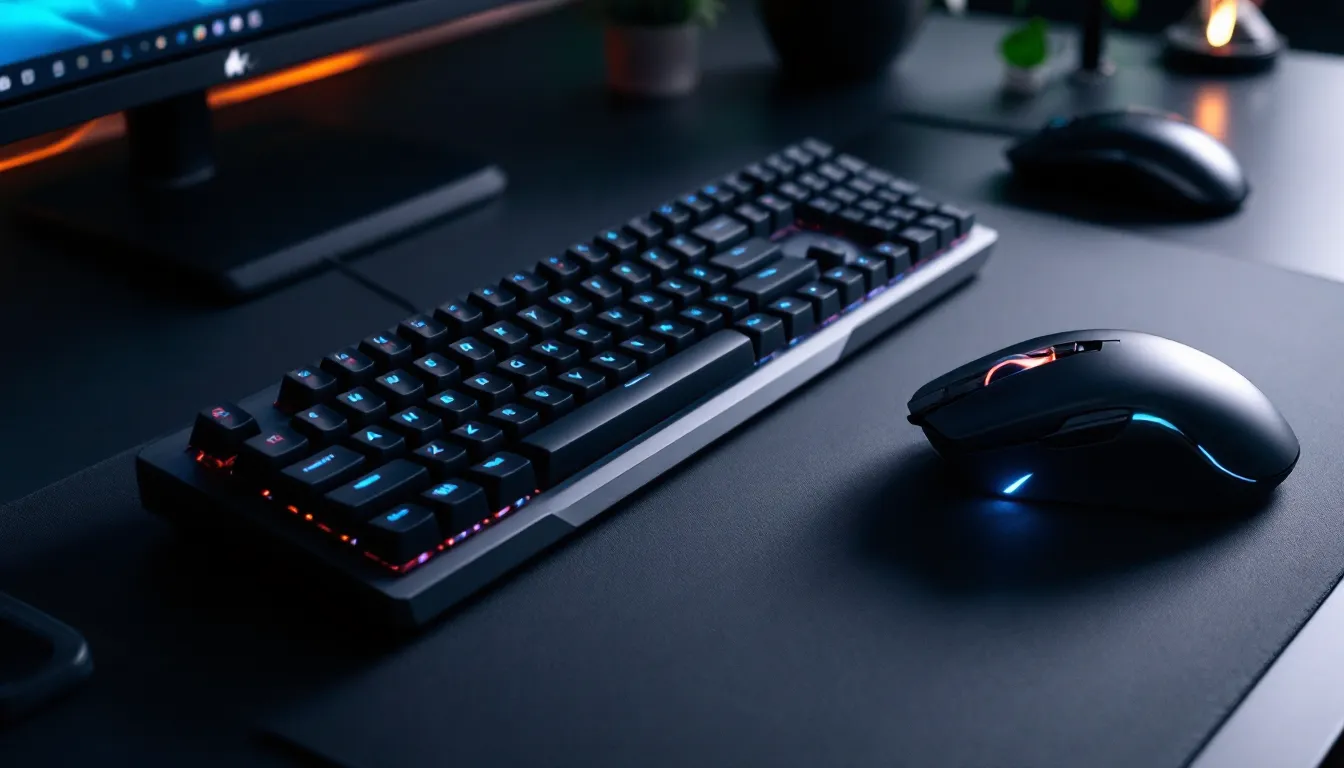

Finding the right gaming keyboard and mouse combo can feel like chasing the perfect in-game loadout, there are endless options, conflicting opinions, and no one-size-fits-all answer. Whether you’re hunting for a wireless setup with minimal latency, a mechanical keyboard with the right switch type, or a TKL gaming keyboard that saves desk space, the stakes are higher than ever. The difference between a sluggish membrane keyboard and a responsive mechanical one can mean the difference between landing that clutch headshot and whiffing it. This buying guide cuts through the noise to help you find the best gaming keyboard and mouse combo that matches your playstyle, budget, and setup. We’ll break down what actually matters, compare options across every price point, and explain the tech behind the choices that separate casual players from competitive grinders.
Key Takeaways
- A best gaming keyboard and mouse combo must deliver sub-1ms response time, mechanical switches, and a modern optical sensor with at least 3000 DPI to match competitive standards.
- Mid-range combos ($100–$250) offer the sweet spot for most gamers, delivering tournament-grade reliability and wireless options without excessive spending.
- Choose your gaming keyboard and mouse combo based on playstyle: FPS players need lightweight mice under 75g with linear switches, while MOBA and MMO players prioritize ergonomics and programmable buttons.
- Wireless peripherals now rival wired latency through 2.4GHz proprietary dongles, making wireless viable for competitive play while offering cleaner desk aesthetics and freedom of movement.
- Invest in your mouse first before upgrading your keyboard, as it directly impacts every game you play—then test peripherals physically before buying to ensure proper fit and comfort.
- Skill and practice matter infinitely more than gear; solid peripherals remove friction between thought and execution, but RGB lighting and exotic materials provide diminishing returns beyond $250 investment.
What Makes a Great Gaming Keyboard and Mouse Combo?
A great gaming keyboard and mouse combo isn’t just about looking flashy with RGB lighting, though that’s a nice bonus. It’s the foundation of every action you take in-game. Response time, precision, durability, and ergonomics all combine to either elevate your play or hold you back.
Performance and Response Time
Latency is the invisible enemy in competitive gaming. Your keyboard needs a sub-millisecond response time, ideally under 1ms, so every keypress registers instantly. Mechanical keyboards dominate here because their switches actuate faster than membrane alternatives. Polling rate matters too, higher is better, with 1000Hz being the standard for competitive gear and 8000Hz+ becoming more common in premium options.
Your mouse sensor needs to match that speed. A modern gaming mouse should have a sensor accurate to at least 1600 DPI with zero malfunction speed, that’s the maximum speed before the sensor loses tracking. Anything less than 3000 DPI in today’s market feels outdated, though practical ceilings depend on your game. A player in a fast-paced FPS title needs different specs than someone grinding through an MMO.
Comfort and Ergonomics
You’re going to have your hands on these peripherals for hours. A palm rest on your keyboard prevents wrist strain during extended gaming sessions. Your mouse should fit your grip style, claw, palm, or fingertip, with proper weight distribution and side buttons positioned where your thumb naturally rests.
Size matters more than people think. A TKL gaming keyboard eliminates the numpad to save desk space while keeping everything you actually need. For mice, you’ll find options ranging from 80g ultralight designs favored by flick-heavy FPS players to heftier 100g+ models that some prefer for stability. The weight itself is less important than what feels right in your hand.
Build Quality and Durability
Gaming peripherals take abuse. Your keyboard switches need a rated lifespan of at least 50 million keystrokes, quality mechanical switches hit 70-100 million. The same goes for mouse switches: you want microswitches rated for 20+ million clicks. Aluminum or reinforced plastic chassis resist flex and deformation over time.
Cables matter too. If you’re going wired, look for braided cables that resist kinking and don’t snag on your desk. Battery life on wireless models should comfortably exceed 100 hours between charges, ideally pushing toward 500+ hours on high-end options.
Customization and Software
Modern gaming peripherals come with software to remap keys, adjust DPI on the fly, and program macros. This ranges from basic profile management to deep customization. RGB lighting customization is standard but less critical unless you’re building a themed setup. What matters is whether the software works reliably without bloat and whether settings save to onboard memory so they persist without the software running.
Programmable buttons on your mouse extend your reach in complex games. A MOBA player might map ability cooldowns to mouse buttons. An FPS player might set a dedicated button for ADS toggle or utility usage. The flexibility to adapt your setup to each game is where premium combos justify their price.
Top Gaming Keyboard and Mouse Combos for Every Budget
Not every gamer needs to spend $500 on a setup, but understanding what you’re getting at each price tier helps you make an well-informed choice.
Budget-Friendly Options Under $100
You don’t need to mortgage your house to play competitively. Budget combos from brands like Pictek, IOGEAR, and Redragon deliver solid mechanical switches and reliable sensors without unnecessary frills. A Redragon combo typically runs $60-80 and includes genuine mechanical switches (often Outemu), a comfortable mouse with 3000+ DPI, and programmable buttons.
The trade-off? Less premium build materials, shorter cable lengths, and basic RGB customization. Software stability can be hit-or-miss on ultra-budget options. These work perfectly fine for casual gaming, and many competitive players in developing regions build their entire setup around sub-$100 combos.
When shopping this tier, prioritize mechanical switches over membrane, and verify the mouse sensor is at least 3000 DPI with a decent polling rate. You can always upgrade to a better mouse later while keeping the keyboard you liked.
Mid-Range Combos ($100-$250)
This is where you find the sweet spot for most gamers, solid performance without excessive spending. Brands like SteelSeries, Corsair, and Razer offer proven combos in this range that won’t betray you mid-tournament.
A SteelSeries Apex Pro keyboard paired with a DeathAdder V3 mouse (or similar) runs around $200-230 and delivers tournament-grade reliability. You’re getting hot-swap switches from quality manufacturers, optical sensors with zero drift, customizable lighting, and software that doesn’t feel like it was coded in 2005. The best wireless gaming keyboard and mouse combos also start appearing here, brands are finally cracking the latency problem with modern 2.4GHz wireless dongles.
Mid-range options offer the best value proposition. You’re not overpaying for exotic materials or limited editions, but you’re also not gambling on reliability. Your mouse will have at least 18,000 DPI with accurate tracking. Your keyboard will feel solid typing on it at work, then switching to gaming without feeling like your peripherals are holding you back.
Premium and High-End Setups ($250 and Above)
Premium combos target competitive players willing to invest in the smallest advantages. Limited edition TKL gaming keyboard models from Logitech’s Pro line or ASUS’s ROG Strix tier run $150-200 alone, paired with flagship mice like the Logitech G502 Superlight 2 or Razer Viper V3 at $70-100.
At this level, you’re paying for materials like aircraft-grade aluminum, innovative switch technologies like optical or electromagnetic actuation, and mice weighing under 60 grams with 32,000 DPI sensors. The difference between a $150 setup and a $400 setup is increasingly incremental, diminishing returns set in fast. But if you’re pursuing esports aspirations or earning income from streaming, these investments show up in frame-perfect execution.
Premium wireless combos now rival wired latency thanks to NVIDIA’s Lightspeed protocol and similar proprietary tech. Expect battery life measured in hundreds of hours and charging systems integrated directly into your mouse or keyboard.
A solid strategy: Buy mid-range as your baseline, then upgrade individual pieces (mouse first, usually) as you identify specific needs. A SkyTech Gaming PC in 2024 paired with a quality combo performs better than budget everything, but a budget PC with premium peripherals doesn’t fix poor CPU bottlenecks.
Keyboard Switches and Mice Sensors Explained
Understanding the tech behind your peripherals separates informed buyers from marketing victims.
Mechanical vs. Membrane Switches
Mechanical switches use individual springs and stems underneath each key, allowing them to actuate independently. You get tactile feedback, faster response times (actuation around 2mm of keypress), and the satisfying thock of quality switches. Membrane keyboards use a rubber dome beneath the entire keyboard, requiring 3-4mm of downward pressure before registration.
For gaming, mechanical wins decisively on speed and feedback. Cherry MX switches are the gold standard, though quality Outemu, Gateron, and Akko alternatives perform nearly identically at fraction of the cost. Switch types matter: linear switches (Red, Black) require no tactile bump and prefer rapid multi-tap: tactile switches (Brown, Clear) have a bump at actuation: clicky switches (Blue, Green) add an audible click that teammates might appreciate less during late-night sessions.
Membrane keyboards still exist in budget gaming combos and wireless options where mechanical switches add bulk. They’re not bad, just slower and less precise. For anything below $50, you might find membrane. Above that, expect mechanical or don’t bother.
DPI and Sensor Technology
DPI (Dots Per Inch) determines how far your cursor travels per inch of mouse movement. Higher DPI isn’t universally better, a 3200 DPI with proper acceleration curves outperforms a 16,000 DPI setup with sloppy implementation. Most competitive FPS players run 400-1600 DPI, while MOBA and RTS players often go higher (2400-3200) for larger screen real estate.
Optical and laser sensors were once the debate. Modern mice use optical sensors (infrared) that are faster and more accurate. The sensor’s tracking speed matters more than raw DPI capability, you want zero malfunction, meaning the sensor tracks perfectly even at maximum movement speed. Pro players jumping to a new mouse on tournament day check ProSettings for their preferred sensitivity settings to minimize adjustment time.
Acceleration settings in software can help smaller movements feel precise while large flicks remain snappy. This is highly personal: you’ll need 2-3 gaming sessions to dial it in. Budget gaming combos sometimes skimp here with laggy or unresponsive sensors. At $80+, you’re guaranteed solid optical sensors that track cleanly.
Genre-Specific Recommendations
Not every combo works equally for every game. Here’s what matters by playstyle.
FPS and Competitive Games
Competitive FPS titles like Valorant, Counter-Strike 2, and Call of Duty demand low latency and pinpoint precision. You’re looking at sub-1ms keyboard response, 1000Hz polling rate minimum (8000Hz preferred), and a lightweight mouse under 75 grams with a responsive optical sensor.
Switch preference varies by player, linearity (Red switches) dominates competitive FPS because rapid taps matter more than tactile feedback. Your mouse should have minimal acceleration and predictable tracking. Weight matters here: lighter mice (Razer Viper, Logitech Superlight) allow faster flicks with less arm fatigue during tournaments. A best gaming keyboard reddit thread on r/MouseReview will consistently recommend ultralight mice paired with mechanical keyboards for FPS.
Wireless is now viable and preferred by top pro players thanks to sub-1ms latency. The days of wired-only dominance are ending, though some hardcore competitors still insist on it for psychological confidence.
MOBA and RTS Games
MOBA players (League of Legends, Dota 2) and RTS enthusiasts (StarCraft, Age of Empires) value hand comfort and macro buttons over raw speed. A full-size mechanical keyboard prevents repetitive strain during extended sessions. Programmable keys let you map ability combos to single presses, critical for MOBA team fights.
Your mouse can be heavier here: many MOBA pros run 80-100g mice because stability matters more than flick speed. Higher DPI (2800-3200) accommodates larger screen space. Ergonomic mice with side buttons become valuable for ability queuing and hotkey transitions.
A wired combo often appeals here since you’re stationary during matches. Cable length becomes a non-issue when you’re rooted at a desk for 40 minutes.
Casual and MMO Gaming
Casual players and MMO grinders (Final Fantasy XIV, World of Warcraft) care less about latency and more about comfort and features. An ergonomic mouse with a thumb rest and programmable side buttons for ability bars takes priority. A TKL gaming keyboard saves desk space while maintaining comfort during marathon gaming sessions.
RGB lighting shifts from luxury to practical, many enjoy customized profiles matching their character class or game theme. Wireless combos appeal here because you might adjust position frequently, and cable management becomes less critical.
Build quality still matters, you’re using this for 500+ hours yearly, so durability prevents frustrating failures mid-raid. Best gaming keyboard mouse combo reddit threads in r/ffxiv consistently recommend mid-range Corsair or SteelSeries combos for reliability without overkill pricing.
Wired vs. Wireless: Pros and Cons
The wired versus wireless debate has evolved dramatically. Here’s the current reality.
Wired advantages: Guaranteed zero latency, no battery anxiety, reliable in cramped spaces. Disadvantages include cable management headaches, weight distribution issues (the cable tugs slightly), and restricted movement range. Wired combos cost less at every tier, making them budget-friendly.
Wireless advantages: Freedom of movement, cleaner desk aesthetics, and modern implementations (2.4GHz proprietary dongles) match or beat wired latency through predictive algorithms. Disadvantages include battery management, higher cost, and potential interference issues if your desk is wireless-heavy. Wireless also adds 10-20 grams of weight from the battery.
The best wireless gaming keyboard and mouse combo tier has compressed the latency gap to undetectable levels for 99% of players. Top esports organizations now accept wireless peripherals in tournaments, though some players still choose wired for confidence. A Logitech G Pro wireless keyboard plus G502 Lightspeed mouse runs around $230 and many competitive teams use exactly this.
Unless you’re literally competing for prize money, wireless quality at $150+ performs identically to wired in real-world gaming. The convenience factor often outweighs the theoretical latency advantage of wired. A wireless combo also forces you to develop charging habits, which prevents the disaster of dead batteries mid-tournament.
Your choice should depend on desk setup and personal preference. Wireless wins for aesthetics and freedom. Wired wins for cost and zero variables. Either way, peripherals matter far less than your actual skill, a professional player dominates on cheap teclado gaming or top-tier gear equally. A Viper Tech Gaming PC: Ultimate Performance for Competitive Gamers paired with mid-tier peripherals beats the opposite equation entirely.
RGB Lighting and Aesthetics
RGB became gaming peripherals’ version of racing stripes, technically unnecessary but culturally dominant. Here’s what to actually care about.
RGB lighting generates heat, increases battery drain on wireless mice, and adds cost. Yet it’s now standard even at budget tiers, bundled for minimal additional expense. If you enjoy customization and streaming setup aesthetics, embrace it. If you don’t, most quality combos let you disable RGB entirely or toggle it off in software.
The practical consideration: Can you customize profiles per-game? Top-tier combos integrate with ecosystem software (SteelSeries GG, Corsair iCUE, ASUS Aura) allowing different profiles for different games. This turns RGB from pure aesthetics into functional visual feedback, your keyboard flashes red when you’re hit, or changes color when ability cooldowns reset.
Personalized RGB matching your gaming aesthetic matters if you stream or content-create. For pure competitive play, disable it and reclaim that 2% performance margin. The best wired gaming keyboard options often feature customizable backlighting without excessive RGB, appealing to professional players who want functionality without distraction.
Streamers and esports organizations often match their gear colors to branding, Valorant pro teams coordinate RGB with team colors, for example. If that appeals to you, factor RGB flexibility into your decision. Otherwise, prioritize the underlying hardware over lighting gimmicks.
How to Choose the Right Combo for Your Needs
Cutting through options requires honest self-assessment.
Assess Your Gaming Style
Spend a week tracking which games you actually play. If 80% of your time is Valorant or Counter-Strike 2, prioritize FPS-specific specs: lightweight mouse, low latency, linear switches. If you’re split between MMORPGs and casual games, comfort becomes paramount, you need ergonomic curves and programmable buttons.
Honestly evaluate whether you need pro-grade hardware. Casual players improve more through practice than gear upgrades. Competitive players in ranked environments or aspiring for tournaments benefit from optimized peripherals. There’s a natural inflection point, after $200 total investment, improvements become incremental. Beyond $400, you’re buying confidence and personal preference more than performance.
Consider your desk setup. Limited space? A TKL gaming keyboard eliminates the numpad. Multi-monitor setup? A lighter mouse with higher DPI improves navigation efficiency. Playing at arm’s length (typical MMO posture) versus short desk distance (FPS posture) changes mouse preference significantly.
Consider Your Budget
Set a hard budget and stick to it. Under $60? Accept compromises on durability and software. $60-150? Excellent value territory where you get solid performance without waste. $150-300? Premium builds with minimal compromises. $300+? Luxury features with diminishing returns on actual gaming performance.
Alternative strategy: Buy pieces separately instead of combos. Search for gaming keyboard nearby and gaming mouse separately, then assemble a superior combo cheaper. A budget mechanical keyboard ($40-60) paired with a mid-range mouse ($100-120) often outperforms pre-assembled combos at the same price point. You sacrifice coordinated aesthetics but gain flexibility.
If choosing between keyboard and mouse, invest in the mouse first, it directly impacts every game you play. A subpar keyboard affects primarily typing-dependent games and social moments. A subpar mouse affects everything. Upgrade your mouse, keep your keyboard for 2-3 years, then refresh the keyboard as secondary priority.
Test Before You Buy
Best practice: Visit a Best Buy or local electronics retailer and physically handle options. Two minutes holding different mice reveals what fits your hand shape. Typing on different switches, even for 10 seconds, shows what feels right.
Online reviews help but can’t replace tactile feedback. Read user reviews on Amazon specifically for durability complaints. Check YouTube reviews from creators whose hand size and grip style match yours. ProSettings includes detailed reviews with frame-rate overlays showing real latency differences, helping quantify performance claims.
Return policies matter immensely. Amazon’s 30-day return, many retailers’ 14-day windows, and manufacturer warranties all factor into risk. Buying from brands with robust support (Corsair, SteelSeries, Razer, Logitech) means easier troubleshooting if issues arise. Lesser-known brands require research into their warranty process, some disappear if your combo fails.
Final tip: Ask in gaming communities specific to your main game. Reddit threads on your game’s subreddit reveal what pros and streamers actually use, not marketing claims. HowToGeek includes setup guides that discuss peripheral selection by game type and environment, useful for optimizing your entire gaming space beyond just the combo.
Conclusion
The best gaming keyboard and mouse combo is the one that fits your hands, matches your gaming style, and doesn’t make you question the purchase three months later. There’s no universal perfect option, only optimal choices for your specific situation.
Start with honest evaluation: What games dominate your library? How much are you realistically spending? Do you need wireless freedom or wired reliability? Once those questions clarify, the right combo emerges naturally. Budget players find legitimate options under $100. Competitive players in the $150-250 tier get tournament-grade gear. Esports pros spending $300+ gain marginal improvements they’ve earned through thousands of practice hours.
Don’t get paralyzed optimizing specifications. Any combo with mechanical switches, 3000+ DPI, and sub-1ms response beats budget alternatives decisively. Spending four hours reading reviews instead of practicing your game is the real performance killer. Pick something reasonable, stick with it for six months, then adjust based on actual gameplay experience.
Your skill matters infinitely more than your gear. But solid peripherals remove friction between thought and execution, letting your practice translate directly to performance. That’s the real investment, not flashy RGB or exotic materials, but reliable hardware that works flawlessly for thousands of hours, supporting your improvement journey without holding you back.